New content types and a new twist to the existing
In WordPress, you can create posts, pages, categories and tags, as well as upload media such as images, documents, audio and video files. You might display your posts on a blog page, and create menu items for your pages.
WordPress Post Types
All this content belongs to Post Types. WordPress has made it easy to add new content types, e.g. a product or order form, in a standardized way. This content can be displayed or searched, just like all your other content. Put simply, the different plugins in WordPress can “talk to each other” even if they don’t really know each other, and that makes for impressive flexibility.
Smart display of existing content
The list on this page contains high-quality front-end plugins that allow you to display your existing content in a new and smarter way. For example:
- Different footers on different pages.
- Via “ajax search” that searches while you type.
- In a “lightbox” that pops up when you click on an image or video.
The opportunities to improve the user experience are many, fun and tempting, just as you risk ending up with a messy affair. So be thorough and test well.
Technical requirements for all recommended frontend plugins
If a plugin is cumbersome to use, if it spits out broken HTML code, or it doesn’t work across operating systems and browsers, it won’t make the list. I have relatively high standards for the plugins I use, and currently all the ones listed meet the following:
- WordPress 6.8.x compatible
- PHP 8.3 compatible
- Valid HTML5 output according to validator.w3.org
- Easy to style with CSS
- Responsive output that works on mobile, tablet and desktop.
- By default, not dependent on external resources (javascript, fonts)
- Sets no cookies by default – GDPR compliant
The list – with links to source

Advanced Custom Fields
Create Custom Fields for existing Post Types. Widely used plugin with great support in other plugins and themes.

Ajax Search Lite
Smart search box that displays results as you type. Has an incredible number of options and can be adapted to any need.

Content Aware Sidebars
Choose different widgets for different pages, posts, categories and custom post types, and serve relevant content.

Glossary
Glossary automatically generates glossaries and adds tooltips with explanations of selected words.

Include Mastodon Feed
Easily integrates Mastodon feeds via shortcode and supports both personal and tag feeds.

Email Address Encoder
Protect email addresses and mailto links from email harvesters trying to collect email addresses for spam.

Firelight FancyBox
Automatic or manual lightbox for images, video, inline html and more, for better performance and privacy.

Lightbox for Gallery & Image Block
Simple and lightweight light-box for the standard WordPress Gallery & Image Block. No dependencies.

Embed Privacy
Embed Privacy stops visitors from seeing external content until they choose to allow it, keeping visitors’ information private
👉 Learn more in: More speed, less tracking with Embed Privacy

Password Protected
Protect access to your WordPress site with a password. Perfect for development or archived websites.
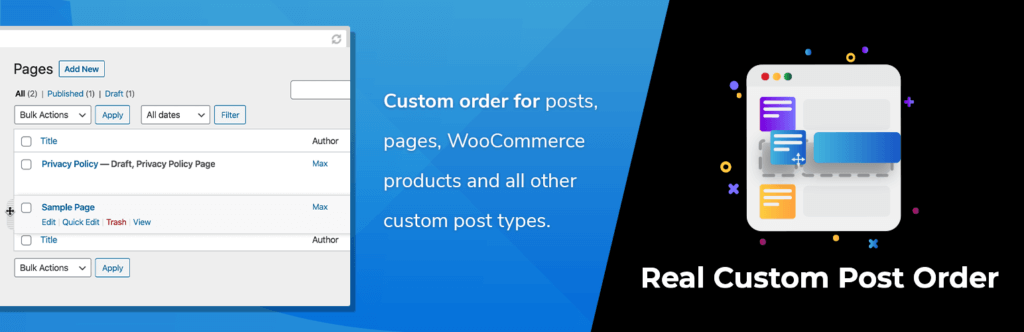
Real Custom Post Order
Create a customized order of your content by dragging and dropping pages, posts and custom post types.

Simple Custom CSS and JS
Simple Custom CSS and JS allows you to add custom code without modifying theme or plugin files.

Pods Framework
Create Custom Post Types, Custom Fields, or extend existing data types with new fields. Relationships.
👉 Further reading: Pods Framework and the WordPress block editor

TablePress
Create simple and advanced tables, import/export data to Excel or CSV. Responsive and robust.

WS Form Lite
Modern form tool that is easy to use. Built with performance, web accessibility and GDPR in mind.
See selected plugins in action
Try these and other plugins on WordPress Playground, where you can quickly start a temporary WordPress installation and see if the plugin is right for you.
Summary
Granted, Advanced Custom Fields and the Pods Framework are advanced stuff. But you can easily add tables, forms or relevant related news and give your content new life.
Remember: if you enjoy a plugin, share your experience with the developer. At the very least, provide a good review on WordPress.org, contribute to support – it won’t cost you anything, or donate an amount.