Keeping a website running securely 24/7 is not difficult, but it is a craft
For two decades, I’ve installed and managed websites, many of them with WordPress. And I genuinely like it, especially when the installation is a well-oiled machine; with unrivalled uptime, fast performance and a solid backup strategy that saves the day when people are people and make mistakes.
Search engines also like it when you put effort into technical work. That the site loads quickly. That it’s clean and tidy and not filled with insecure, redundant code or even malware.
And users like it! That their receipt emails from the forms arrive. The absence of annoying cookie popups. Not having to read in the news that the site has been hacked and their data compromised.
That it just works.
I think you’ll like it too! So here’s a checklist of my key learnings from the engine room over the years. Drop me a comment if you think I’ve forgotten anything or have any questions. Thanks a lot!
Checklist for you who maintain a WordPress website.

Check roles at punktum.dk
Someone has to make sure the domain is renewed, and who owns the domain if the registrant is no longer available? Check it.

2FA login everywhere
The chain is only as strong as its weakest link. Ensure 2-factor login to WordPress, data centre and the mail account with administrator access.

Follow a 3-2-1 backup strategy
To resist human error, software errors and ransomware, have at least 3 backups, at 2 different locations plus 1 cold offline backup.

Check the SSL certificates
Use Qualsys SSL Labs Server Test to analyse SSL/TLS and HSTS on the web server. Let’s Encrypt certificates may achieve an A+ rating just fine.

Test your HTTP Security Headers
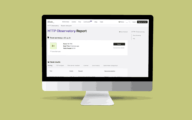
HTTP Observatory performs a thorough assessment of a website’s security configurations. On WordPress websites, a B+ score is possible.

Remember DMARC, SPF og DKIM
These are crucial to whether mail gets through or is considered spam— and—to whether your email address is easily spoofed and abused for phishing.

Debug new releases on a clone
Your web host has built-in methods to clone a website. It only takes a few minutes. Use clones to try out new WordPress versions and plugins.

Use a supported PHP version
All PHP releases are supported for 4 years, and WordPress has its own support cycle. An annual update is adequate; PHP 8.3 is still a good choice.

Update plugins and theme often
Critical systems with frequent changes should be updated manually. Static business card websites can be auto-updated, but keep an eye on them.

Replace abandoned plugins and themes
Plugins that are no longer maintained can pose a security risk. There are almost always alternatives, so look for them.

Optimise the cache; resist DDoS
By carefully tweaking the cache, the server’s resources last longer and the site can handle large amounts of traffic without being overloaded.

Checkbot tests your entire site
Check hundreds of pages at once for broken links, duplicate titles, invalid HTML, insecure pages, poor SEO, speed and much more.

Monitor uptime. Goal: 99.999%
“Five 9s availability” or 99.999 per cent uptime means that websites are down for less than 5 minutes annually. Ambitious but attainable goal.